 Webitectural
AI Support SaaS / Customer Support Platform
SupportAI
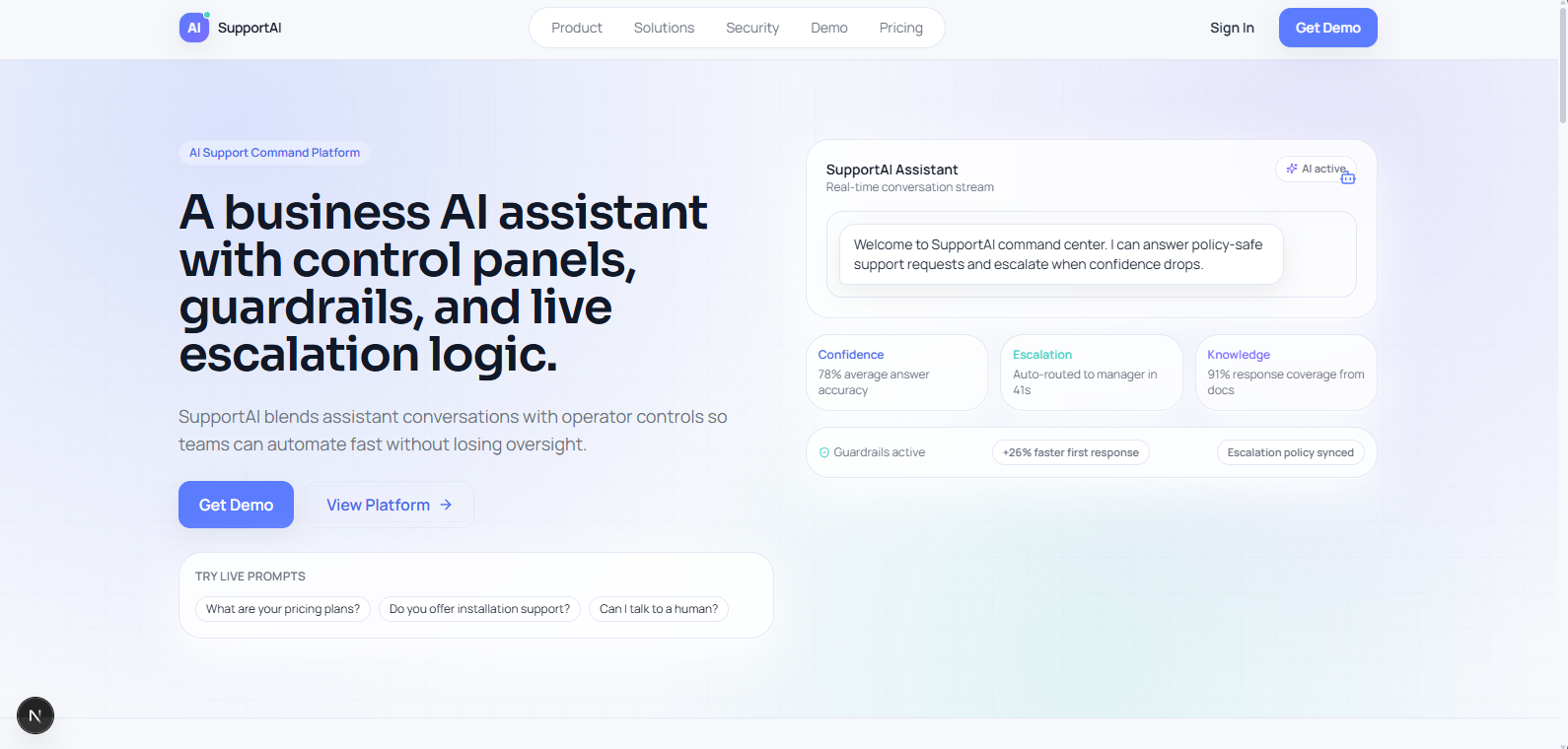
A production-minded AI customer support SaaS demo that combines a public marketing site with a protected support dashboard, human handoff workflows, and clear AI guardrails.
Tech stack
Next.js 15 • React 19 • TypeScript • Tailwind CSS • Auth.js • Prisma • Zod • Zustand • TanStack Table • Recharts
Shows full-stack SaaS architecture, role-based support operations, AI guardrails, escalation workflows, analytics, and a service-layer structure prepared for future real-provider integration.
Overview
SupportAI is a production-minded AI customer support SaaS demo built as a full product, not just a chatbot widget. It combines a public-facing marketing website with an authenticated internal dashboard for support teams. The core idea is simple: let AI handle common questions, keep it inside clear guardrails, and send low-confidence or higher-risk cases to a human team.
What this demo shows
- A complete SaaS product experience (marketing site plus protected app area)
- Role-based support operations (different access for admins, support managers, and agents)
- AI support workflows with human handoff when confidence is low or the topic needs escalation
- A maintainable full-stack structure (UI, validation, services, and data access kept separate)
- Security-minded product design (protected routes, safe input handling, rate limiting, and controlled error responses)
What teams can do
- Browse a public SaaS website with landing, product, solutions, security, pricing, privacy, and terms pages
- Test an AI support sandbox across five business scenarios: SaaS, construction, dental, e-commerce, and consulting
- Sign in with credentials and access protected support routes based on role
- Review conversations with search, filters, sorting, pagination, transcript views, internal notes, feedback tracking, assignment, resolution, and escalation actions
- Manage an escalation inbox with urgency indicators, priority levels, overdue states, assignment controls, and resolve actions
- Create, edit, duplicate, archive, and test knowledge base articles in a simulated answer flow
- Customize the support widget with live preview, theme controls, prompt chips, escalation toggle, business-hours messaging, and generated embed code
- Review analytics for conversation volume, resolved vs escalated cases, feedback trends, unanswered topics, and widget engagement
- Manage settings for workspace behavior, notifications, permissions, and future integrations
Business-focused features
- AI guardrails help keep automated support useful without pretending it can safely answer everything
- Confidence scoring and escalation rules support human oversight instead of replacing the team blindly
- The dashboard structure is ready for real support operations, not only a visual concept
- The product is organized so mock data can later be replaced by real providers, APIs, and databases with less frontend rework
- The mix of marketing pages and internal tools shows how a SaaS product can be presented and operated in one consistent system
Demo notes
- Authentication and the Prisma support domain model are real parts of the project
- The AI assistant is currently simulated and not yet connected to a live OpenAI provider
- Most operational data currently runs through a mock repository so the demo stays deterministic and easy to present
- That mock setup is intentional for portfolio use, because it shows product architecture clearly without pretending unfinished integrations are live