 Webitectural
← Back to portfolio 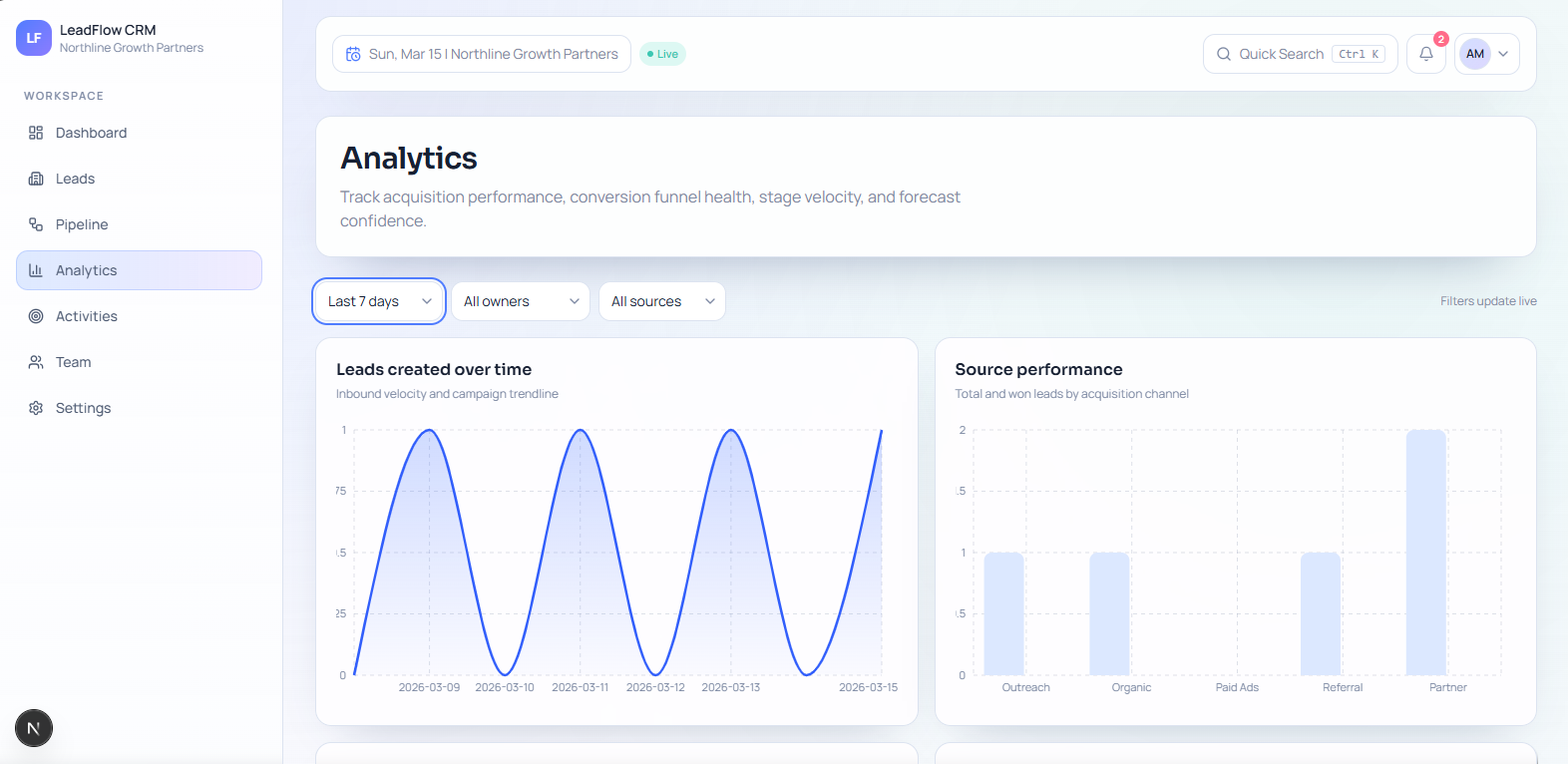
SaaS CRM / Lead Management Platform
LeadFlow CRM
A production-minded CRM demo built for modern sales teams to capture leads, manage pipeline stages, assign ownership, track follow-ups, and monitor conversion performance from one workspace.
Tech stack
Next.js • React • TypeScript • Tailwind CSS • Prisma • PostgreSQL • NextAuth • Zod • TanStack Table • Recharts
Shows full-stack app architecture, authentication, role-based access, CRUD workflows, analytics dashboards, audit history, and deployment-ready setup.
Overview
LeadFlow CRM is a multi-workspace lead operations platform demo. It includes a public marketing website, secure login and registration, and a private CRM workspace (the internal area where a team manages leads and deals).
What this demo shows
- Full-stack app architecture (frontend and backend working together as one product)
- Authentication (secure sign-in and account access)
- Role-based access (different permissions for admins, managers, and sales reps)
- CRUD workflows (create, edit, update, and archive records)
- Analytics dashboards (business performance views for sales activity and conversion)
- Audit history (who changed what and when)
- Deployment-ready setup (prepared for real hosting and release)
What users can do
- Browse a public marketing website with landing, features, pricing, security, privacy, and terms pages
- Create a demo workspace (a separate company/team space) through the registration flow
- Sign in with demo accounts and access a protected CRM dashboard (the main overview screen)
- View KPI cards (quick performance summaries), lead volume trends, source conversion, pipeline health, revenue forecast, and follow-up workload
- Search, filter, sort, paginate, and export leads from the leads table
- Create new leads with owner, source, priority, stage (where the deal currently sits), value, and follow-up date
- Open a lead detail page and update stage, reassign owner, archive the lead, add notes, edit notes, and create tasks
- Review a combined lead timeline with activity, notes, and tasks
- Use a pipeline board (a visual sales-stage board) to move leads between stages and monitor stage-level value totals
- Open an analytics page for funnel performance (how leads move toward sale), source performance, stage velocity, forecast, and completion rate
- Review a chronological activity feed with filters by user, action, and date
- View team performance cards and leaderboard
- Open settings sections for profile, workspace, notifications, security, permissions, and integrations
Demo notes
- Best full-access account:
[email protected] / DemoPass123! - There are also manager and sales-rep style accounts in the seeded data (preloaded demo data)
- Role-based behavior is included: admins and managers have more control, while sales reps are more limited
- Security-focused patterns include validation (checking form data), rate limiting (blocking spam or abuse), workspace scoping (each team only sees its own data), audit logs (change history), soft delete (items can be recovered), and secure middleware headers
- Docker, Prisma migrations, and PostgreSQL setup are included, so the project is also deployment-ready as a demo SaaS app
Working now vs placeholder
- Working core: auth, lead CRUD flows, lead notes, tasks, stage changes, pipeline updates, dashboards, analytics, activity logs, and seeded demo data
- Placeholder / roadmap: email sync, file uploads, some settings persistence, integrations, 2FA, anomaly detection, and drag-and-drop pipeline interactions